
 British Deaf Association awards Sign Language Charter to Greater London Authority
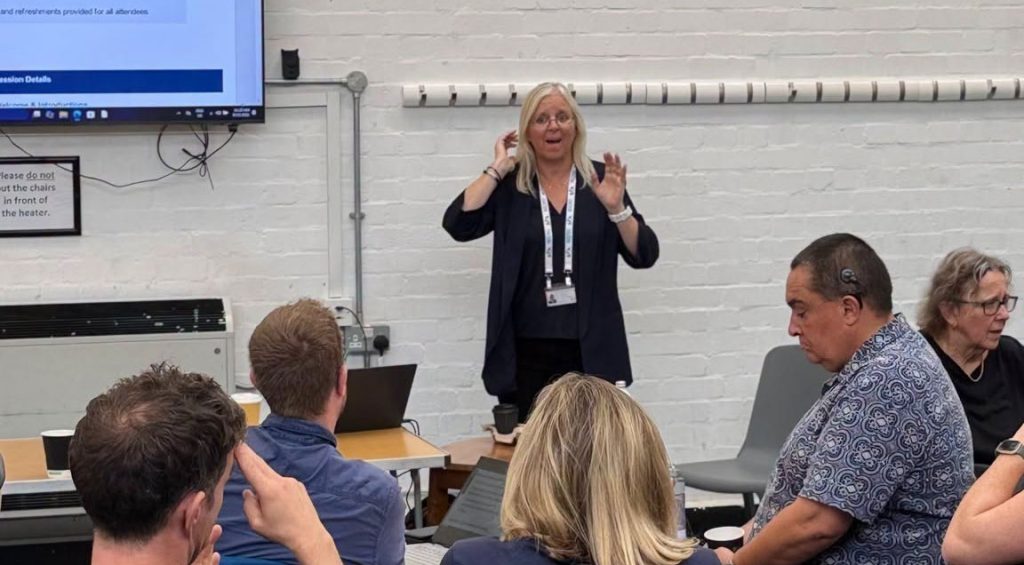
The British Deaf Association has awarded its Sign Language Charter to the Greater London Authority (GLA), recognising the…
23 September 2026
British Deaf Association awards Sign Language Charter to Greater London Authority
The British Deaf Association has awarded its Sign Language Charter to the Greater London Authority (GLA), recognising the…
23 September 2026

Current information
Information about the Beacon CRM incident
This page provides information for people whose personal information is held by the British Deaf Association in Beacon CRM.
Update – 12 August 2026: Beacon has provided further findings from its external cyber-security investigation. Beacon's current assessment is that the attacker exported all data contained within its database, including attachment files. The BDA is therefore treating all information held within our Beacon account at the time of the incident as affected.
Beacon has told us that there is still no evidence that information associated with the incident has been published, disclosed or otherwise misused.
Last updated: 12 August 2026
Information about the Beacon CRM incident
On 3 August 2026, Beacon informed us that it had experienced a cyber-security incident. Beacon confirmed that an unauthorised third party had gained access to its systems.
Beacon has since continued its investigation with external cyber-security specialists and provided the BDA with further findings on 12 August 2026.
Beacon has identified the earliest malicious activity as taking place on 27 July 2026. The unauthorised activity lasted for approximately 1 hour and 27 minutes.
Beacon believes the most likely cause was a compromised access key which allowed the attacker to access its Amazon Web Services (AWS) environment.
Beacon's investigation found a significant increase in data being transferred from its systems at the time of the attack. Based on this and the amount of data stored within its systems, Beacon's current assessment is that the attacker exported all data contained within the database.
Beacon has also advised that a copy of the database holding customer data, including attachment files, was made and likely downloaded in a readable form.
The data was encrypted while stored within Beacon's systems. However, because the attacker had valid access credentials, Beacon has confirmed that downloaded information would have been available to the attacker in a readable form.
Beacon cannot determine exactly which individual records or files were downloaded or where the downloaded information was sent.
There is currently no evidence that information associated with the incident has been published, disclosed or otherwise misused.
What information should I assume was involved?
Because Beacon's current assessment is that all data contained within its database was exported, the BDA is now treating all information held within our Beacon account at the time of the incident as affected.
The information held about each person varies. Depending on how you have interacted with the BDA, it may include:
- your name and contact details;
- your date of birth, where provided;
- membership information;
- donation, payment and Gift Aid records;
- event attendance, dietary or accessibility information;
- communication preferences;
- information you provided about disability, health or whether you identify as Deaf, DeafBlind, hard of hearing or hearing;
- award nomination information; and
- notes or attachments connected with your record.
Not all of these categories will apply to everyone. Some people will have much less information recorded than others.
Beacon has said there is no evidence that payment card details were compromised.
Beacon cannot provide the BDA with a list showing exactly which information relating to each individual was downloaded. We are therefore taking the cautious approach of treating information stored within our Beacon account as affected.
What are the possible risks?
The information could potentially be used to make phishing, impersonation or attempted fraud more convincing. The disclosure of personal or sensitive information could also cause distress or a loss of privacy.
There is currently no evidence that this has happened, but we are informing you so that you can remain alert and take sensible precautions.
What have we done?
- reported the personal data breach to the Information Commissioner’s Office (ICO);
- provided the ICO with Beacon's further forensic findings received on 12 August 2026;
- reported the incident to the Charity Commission;
- contacted people who may have been affected;
- reviewed the types of information held in our Beacon account and assessed the potential risks;
- disconnected integrations with Beacon as an immediate precaution and reviewed, revoked or replaced relevant access credentials and API keys;
- followed Beacon’s immediate security recommendations; and
- continued to obtain and review information from Beacon as its investigation progresses.
Beacon has told us that the likely vulnerability has been fixed, relevant credentials have been reset and no continuing unauthorised access has been identified.
We are also reviewing access to Beacon, third-party integrations, data retention and the information we need to continue holding within the system.
What should you do?
You do not need to take any immediate action, but we recommend that you:
- be cautious of unexpected emails, telephone calls, text messages or social media messages;
- be particularly careful about messages claiming to be from the BDA, Beacon or an organisation connected with a donation or event;
- do not provide passwords, payment information or other personal details in response to an unexpected message;
- do not click links or open attachments unless you are confident that the message is genuine; and
- contact us directly if you receive anything suspicious claiming to be from the BDA.
What happens next?
Beacon's investigation is continuing and it expects to provide customers with a final summary of its findings in the coming weeks.
We will review that information when we receive it and take any further action that may be needed.
At present, Beacon has found no evidence that information associated with the incident has been published or misused. However, we continue to recommend that you remain alert to unexpected emails, text messages, telephone calls or social media messages.
We will update this page if we receive further information that materially changes what people need to know or do.
More information
Further information, including frequently asked questions and safety guidance, is available below.
A BSL version of our original notice is also available on this page. Please note that the original BSL video was recorded before Beacon provided its further investigation findings on 12 August 2026. The latest written information is provided above.
We are very sorry that this has happened and for any concern it may cause. It is our understanding that Beacon is widely used by a large number of charities and organisations which have been affected by this cyber-security incident.
For questions about the incident, please contact:
Questions and answers
Frequently asked questions
Select a question below to read the answer.
Why did I receive an email from the BDA?
You received the email because your email address is linked to one or more records held by the BDA in Beacon CRM.
Beacon is the system we use to manage information about members, supporters, donors, event attendees and other contacts.
Does this mean my information was definitely downloaded?
Beacon cannot confirm exactly which individual records or files were downloaded.
However, Beacon's current forensic assessment is that the attacker exported all data contained within its database, including attachments. The BDA is therefore treating all information held within our Beacon account at the time of the incident as affected.
What information should I assume was involved?
The information varies depending on how you have interacted with the BDA. It may include contact details, date of birth where provided, membership information, donation or Gift Aid records, event information, communication preferences, award nominations, notes or attachments.
Some records may also contain information about disability, health, accessibility requirements or whether someone identifies as Deaf, DeafBlind, hard of hearing or hearing. Not all categories apply to every person.
Were payment card details compromised?
Beacon has said there is no evidence that payment card details were compromised.
Has the information been published or misused?
Beacon has told us that there is currently no evidence that information associated with the incident has been published, disclosed or otherwise misused.
We are continuing to recommend caution because the information could potentially be used to make phishing, impersonation or attempted fraud more convincing.
Do I need to take any immediate action?
You do not need to take any immediate action. We recommend remaining alert for unexpected emails, telephone calls, text messages or social media messages.
Be especially careful about messages claiming to be from the BDA, Beacon or an organisation connected with a donation, event or membership.
Why can the BDA not identify exactly which information about me was downloaded?
Beacon has assessed the overall volume of data transferred during the incident and believes that all data contained within the database was exported.
However, the available technical logs do not allow Beacon to identify the exact individual records or files that were downloaded, or where the downloaded information was sent.
What has the BDA done in response?
We reported the personal data breach to the Information Commissioner’s Office, contacted people who may have been affected, reviewed the information held within our Beacon account, assessed the potential risks and secured the integrations and access credentials connected with Beacon.
We have also reported the incident to the Charity Commission and provided the ICO with Beacon's further forensic findings received on 12 August 2026.
We continue to obtain and assess information from Beacon while its external cyber-security investigation continues.
What should I do if I receive a suspicious message?
Do not click any links, open attachments or provide personal, password or payment information.
Contact the BDA separately using an email address or website that you already know is genuine. Suspicious messages claiming to be from the BDA can be sent to dataprotection@bda.org.uk .
Will this page be updated?
Yes. Beacon's investigation is continuing and it expects to provide a final summary of its findings in the coming weeks.
We will update this page if further information materially changes what people need to know or do.
Protect yourself
How to spot a suspicious message
A scam message may look convincing and could include information that is correct. Take extra care if you notice any of the following.
Unexpected contact
The message arrives unexpectedly and asks you to respond, make a payment, confirm an account or provide personal information.
Pressure or urgency
The sender tells you to act immediately, warns that something bad will happen or tries to stop you checking the message.
An unusual sender address
The display name may say “British Deaf Association”, but the actual email address may be unfamiliar, misspelt or unrelated to the BDA.
Links and attachments
The message asks you to follow a link, download a file or open an attachment that you were not expecting.
Requests for sensitive information
The sender asks for a password, bank details, payment-card information, security code or other private information.
Information that sounds familiar
A scammer may mention a real event, donation, membership or organisation to make the message appear genuine. Correct details do not always mean the message is safe.
What to do
- Stop and check. Do not respond, click a link or open an attachment.
- Contact the organisation separately. Type its website address into your browser or use contact details that you already know are genuine.
- Tell the BDA. Send suspicious messages claiming to be from us to dataprotection@bda.org.uk .
- Report suspicious emails and texts. Forward suspicious emails to report@phishing.gov.uk and suspicious text messages to 7726.
- Act quickly if money is involved. If you have shared bank details or lost money, contact your bank immediately. In England, Wales and Northern Ireland, report fraud to Report Fraud . In Scotland, contact Police Scotland by calling 101.
Official information
Further information
The following external pages provide further information about the incident, phishing and protecting personal information.
Beacon incident FAQs
Official updates and answers published by Beacon.
Visit Beacon’s website
Beacon security incident response guide
Technical and regulatory guidance provided to organisations
using Beacon.
Visit Beacon’s website
National Cyber Security Centre
Advice about recognising and reporting phishing emails, texts
and calls.
Visit the NCSC website
Information Commissioner’s Office
Advice for individuals who have been told about a personal-data
breach.
Visit the ICO website
Questions or concerns?
Contact the BDA Data Protection team if you have a question about this incident or receive a suspicious message claiming to be from the BDA.